Virtual Piano Keyboard
Virtual Piano Keyboard
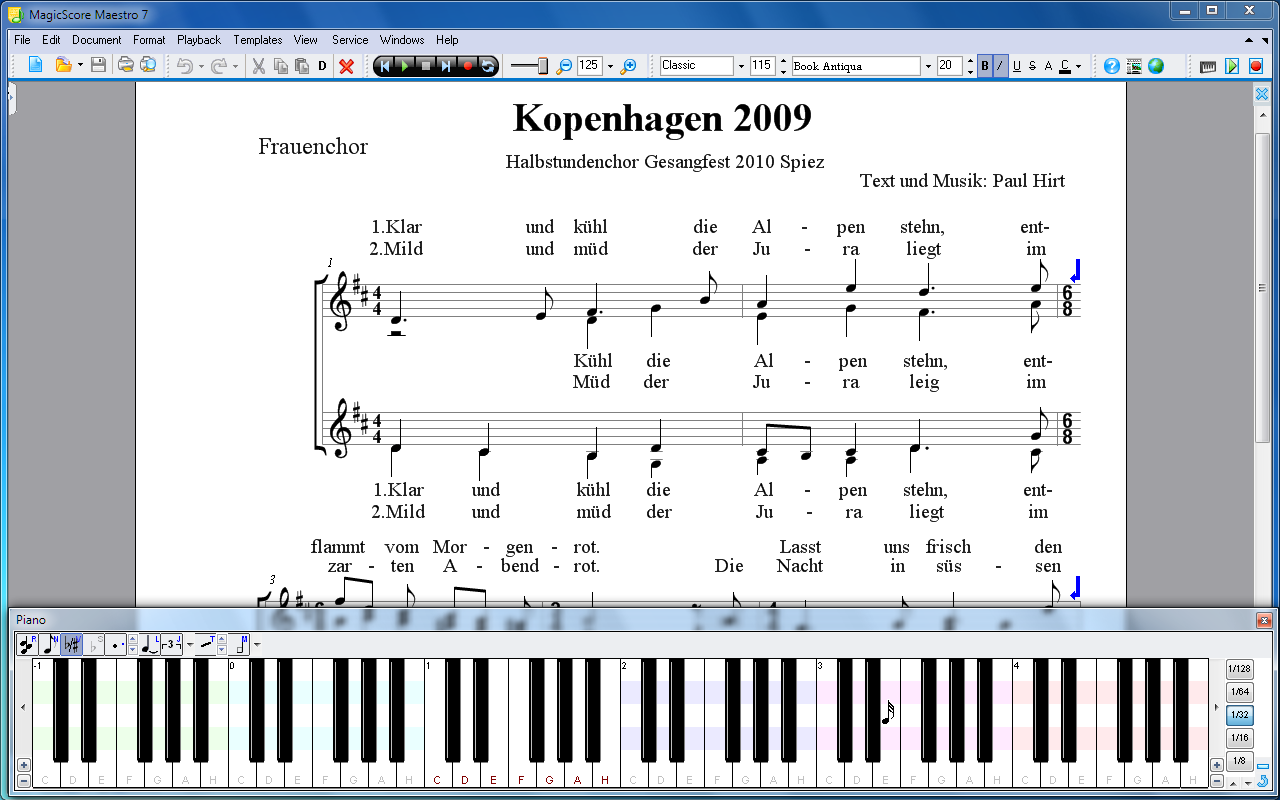
Many users are thrilled to have a special instrument for entering notes and pauses that imitates a piano keyboard. In MagicScore there is such virtual piano keyboard.
1. Notes and pauses are added in the current location of the staff by clicking on the virtual piano keys.
2. Setting note durations. The program monitors the location of the mouse cursor over the virtual keyboard. You can determine the current note duration by looking at the scale or at the cursor shape.
3. Note adding configuration. You can use these settings to switch between adding notes and pauses. You can also choose whether you want the semitones to be indicated by flats or by sharps. Furthermore, you can add notes with additional symbols.
Virtual Piano present in all commercial MagicScore products including versions for MS Word.


