Music Score Midi Playback Editor
Play Back Editor
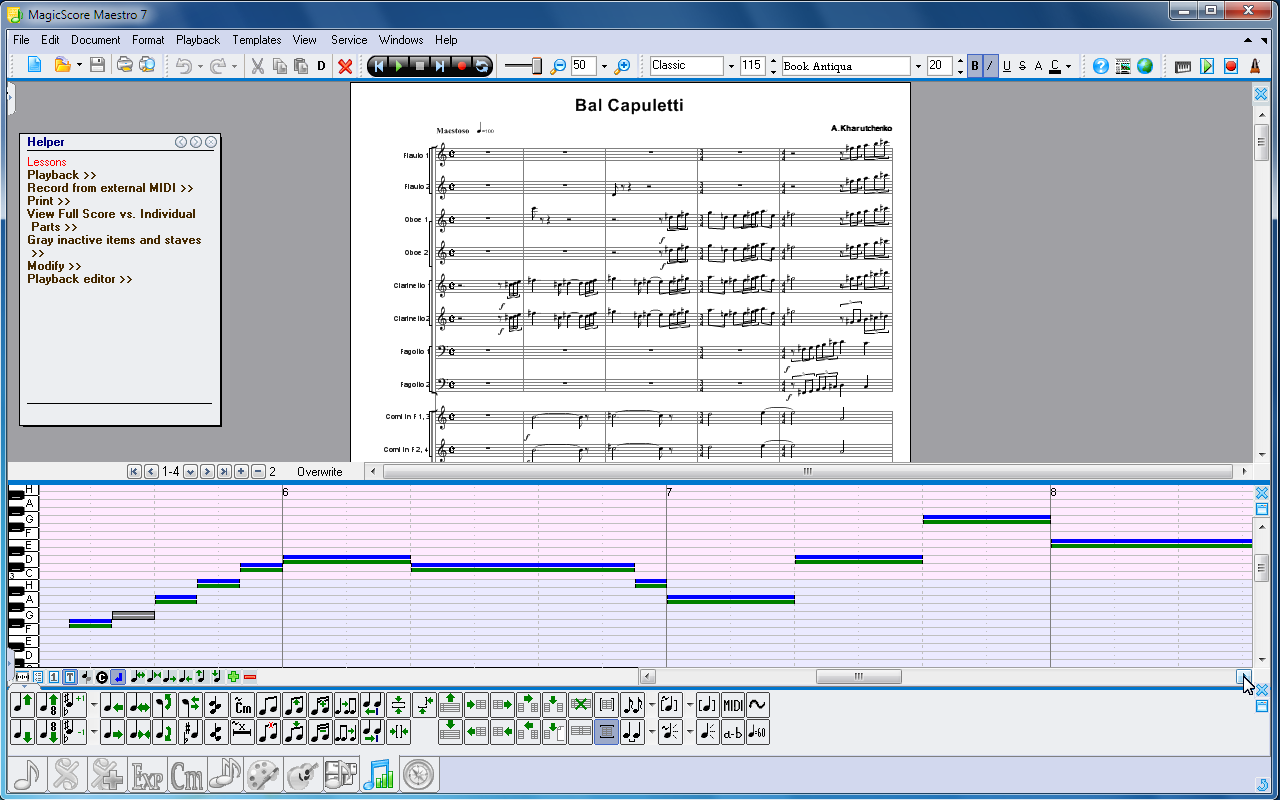
The MagicScore’s Playback Editor is designed for fine tuning the real notes (MIDI sounds) performances. It displays data by the pitch scale; every note’s width is proportional to its duration and is presented by two values. The first value indicates the position and duration of the standard note representation. The second indicates the values of the position and duration that will be used at play back; it may be affected by the arpeggio, grupetto and other symbols if they are added to the score, but the editor allows you to adjust it. You can also manually recalculate the real performance of the notes depending on the arpeggio, grupetto and other symbols.
1. Activating the editor.
2. Calculating the effects (real notes performances depending on arpeggio, grupetto, etc.) Some calculation parameters can be configured by pressing the arrow on the calculate button.
3. Buttons for changing the real notes preformances.


